A Technical Guide to Watching Netflix in China
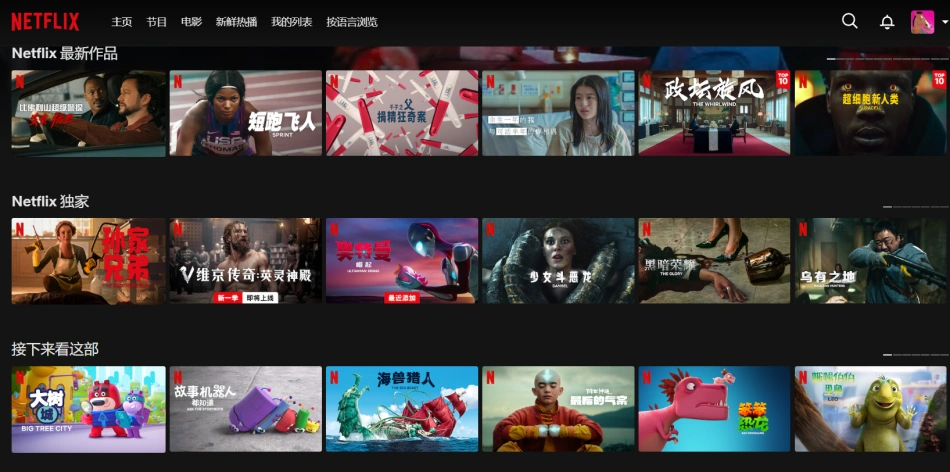
If you’re too busy to read all this, here’s the recommended solution for watching Netflix: VPS + streaming media unlock + Apple TV. It saves you headaches and delivers an excellent experience. If you want to save money, keep reading.
Netflix is an American streaming video service that primarily offers movies, TV shows, documentaries, and more. Compared to Chinese video platforms like Tencent Video and iQiyi, Netflix has several incomparable advantages:
-
Netflix has tons of American TV shows and blockbuster movies, with new content released regularly. If no new shows are added, subscriptions drop — so keeping up the release rate is one of Netflix’s biggest pressures. Netflix acquires content from all over the world, not just for Western audiences. For example, Day and Night and The Wandering Earth — even though there are no Chinese subscribers, Netflix still bought the global online distribution rights.
-
It offers up to 4K ultra-high-definition quality. If your broadband connection is decent, you can enjoy HD content without issues.
-
Multi-language translations are available for global content — typically including Chinese, Japanese, Korean, English, Italian, Portuguese, Spanish, and French subtitles. Even if you’re not Chinese, with some luck, certain foreign films even have Chinese dubbed audio.
-
No ads, and no video recommendations. Unlike iQiyi or Tencent Video in China, where even paid subscribers have to endure recommendation ads.
That’s enough about the perks. So here’s the real question: how can you watch Netflix on your computer in China? There’s really only one way:
The most important tool for watching Netflix is a proxy service. However, due to Netflix’s strict copyright restrictions, even if you can access the website from China, you still won’t be able to watch any content. So a proxy alone isn’t enough — you need an IP address that Netflix recognizes as valid. If you’re building your own proxy, you’ll have to try your luck across various VPS providers. Finding a usable IP is like searching for a needle in a haystack — it takes persistence and a bit of luck. There are lists of Netflix-compatible IPs online, and matching IP ranges can make the process much easier. But even then, nothing is guaranteed, since Netflix is constantly cracking down on leaked IPs.
If you really can’t find a working IP, there are now streaming media unlock services that can be paired with any overseas VPS. These services don’t just unlock Netflix — they also unlock Disney+, HBO, and even ChatGPT, which can be a pain to access. From a time-cost perspective, this approach is well worth it.
If building your own proxy seems too complicated, there’s a hassle-free (but not cost-effective) option: simply subscribe to a proxy service that already supports Netflix.
That covers the basics of watching Netflix on a computer.
To watch Netflix on your TV, you only need two things:
-
A router that can run OpenWrt firmware with proxy software installed. I recommend buying the best router you can afford — whether a hardware router or a soft router. The more expensive the router, the easier it is to get good speed and stability. Soft routers are especially recommended, as they can max out your bandwidth.
-
A streaming box. Only Netflix-certified devices can run the app properly, so domestic Chinese set-top boxes are out of the question. My top recommendation is Apple TV — the user experience is fantastic. If you have a Sony TV with built-in Netflix, you can skip this step. Amazon Fire TV (all models), Xiaomi’s international Mi Box, and Roku devices are also good choices. The Mi Box is particularly fun to tinker with. If you can’t find it on Taobao, try overseas shopping.
Once your proxy is set up and you can watch Netflix on your computer, watching on TV shouldn’t be a problem either.
First, configure the proxy on your router and set the streaming box’s IP to a mainland China whitelist mode. This is because Netflix uses a lot of servers, and your proxy can’t guarantee all IPs will route through the proxy. If you hit a direct-connection IP, Netflix will tell you that you’re outside the available region.
That’s the right way to watch Netflix. But are you really willing to spend at least $8.99 a month on a subscription?
How to watch at the lowest cost?
Netflix offers a $15.99/month family plan that supports up to 4 simultaneous users in 4K HD. So the most economical approach is, of course, sharing! There are plenty of groups on Telegram where people look for others to split the cost, solving the problem of individual subscriptions being too expensive.